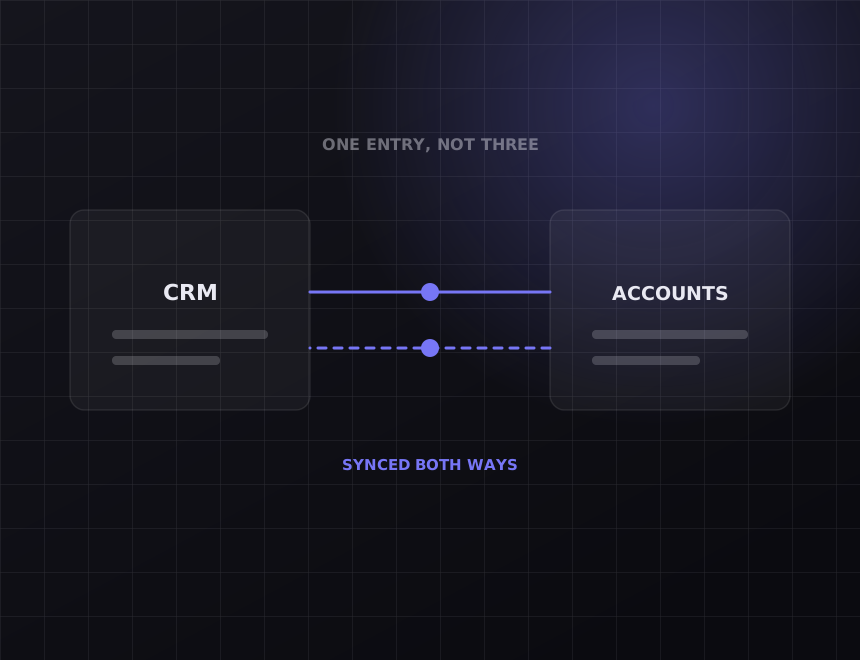
simPRO runs the job. HubSpot runs the pipeline. Between them sits an estimator retyping site addresses at 6pm. We connect the two so a won deal becomes a simPRO job with the customer, site and quote already attached.
Every customer, site and quote keyed into HubSpot for the sale, then keyed into simPRO for the job.
The deal wins, the simPRO job exists. Customer, site, contact, quote lines and attachments come across with it.
A deal won on site at 4:50pm is a scheduled job before the van is back.
Built in your simPRO and HubSpot accounts. You own the connection and the documentation.
Xero, ServiceM8 and Tradify if you run a mix, and the website enquiry form on the front.
Tradify or AroFlo instead of simPRO? Same shape of build.
What moves
When a deal reaches the stage you choose, simPRO gets a customer, or a match to an existing one, a site, and a job or quote with the line items from HubSpot. Your scheduler sees it in simPRO within a minute of sales winning it.
What moves
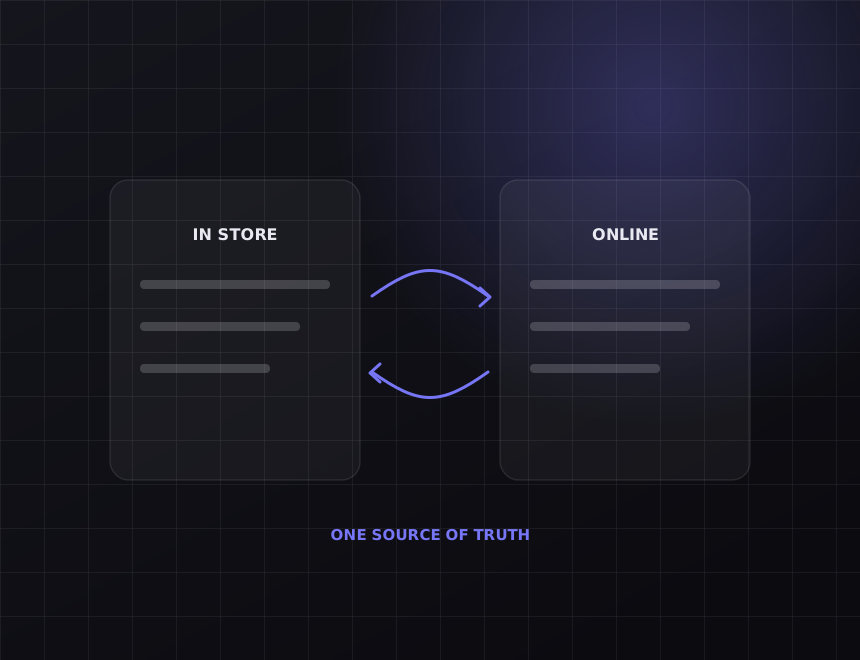
Sales should not have to ring the office to find out whether a job has been scheduled. Job status in simPRO writes back to a HubSpot property, so the deal shows scheduled, in progress, complete or invoiced without anyone asking.
What moves
Existing customers ring the office and book a job direct. Those are sales too, and HubSpot should know. New simPRO customers and jobs created in the office become contacts and deals in HubSpot, so repeat work is tracked, not lost.
What moves
Prices live in simPRO. HubSpot quotes should use them, not a spreadsheet someone exported in March. We sync the catalogue items you sell through HubSpot so quote lines carry the current price and the right simPRO item code.
Before you pay
Some of what is on this page you can get without us. The rest is where the money goes. Both are written down here so you can decide before the call.
simPRO has its own lead and quote tools, and a firm that does all its selling from the office may not need HubSpot at all. If your sales conversations already live in simPRO, keep them there and save the money. This build is for firms with a sales team working in HubSpot, with sequences, call logging and pipeline reporting, who are paying an estimator to rebuild every win by hand.
Let HubSpot edit simPRO job costing. Once a job is in simPRO, the money side belongs to the people running the job. The pipeline reads from it. It does NOT write to it.
How it works
Every step below is work you can verify. Ask any provider to show you the same list for what they are doing.
Which deal stage creates the job. Which HubSpot fields go to customer, which to site, which to job notes. Which simPRO statuses sales cares about. One afternoon, both teams present.
Your simPRO customer list and your HubSpot contacts overlap and disagree. We reconcile them on ABN, phone and email before launch so the first week does not create duplicates in either system.
A deal with no site address. A customer with three simPRO records already. simPRO's API limits during a busy Monday. Each has a defined outcome and a log entry, never a silent skip.
Every job the connection creates is logged with the deal it came from. Failures alert us, and we usually fix them before your scheduler notices.
What it costs
simPRO to HubSpot starts from $3,500 for won deals creating jobs and status writing back. Adding catalogue sync, office-created jobs flowing into the pipeline, and multi-branch setups pushes it toward $8,000. Most builds are live within three to four weeks, most of it spent agreeing the mapping.
The mapping workshop and the written map. Customer reconciliation across both systems before launch. Job creation, status write-back, and a log of every run. A handover document your office manager can read.
Your simPRO and HubSpot subscriptions, which stay in your name. simPRO API access, which has to be enabled on your account. Rebuilding your simPRO catalogue if it is a mess, which we can quote separately.
You do. The connection lives in your accounts, on your subscriptions, with documentation your next provider could pick up. There is no retainer required to keep it running.
FAQs
Yes. Tradify, AroFlo and ServiceM8 all expose customers, jobs and quotes through an API. The HubSpot side of the build is identical, and the job side changes less than you would expect.
Yes. We sync the catalogue items you sell through HubSpot so quote lines carry the current simPRO price and item code.
The connection matches on ABN, phone and email before creating anything. A match attaches the job to the existing customer. No match creates one, and the log records which happened.
simPRO API access has to be enabled on your account. We check that on the audit call before quoting, along with your HubSpot tier, so there are no surprises after you have paid.
Three to four weeks for most builds. The mapping workshop is the slow part, not the code.
Related
The enquiry form creates the job, matches the customer and texts them back inside a minute. Quote follow-up and review requests optional.
Trades and constructionSee how it works → HubSpotXeroA won deal raises the Xero invoice with the right line items and tax codes. Paid status comes back to the deal.
Any business with a sales teamSee how it works → PipedriveXeroA won deal raises the Xero invoice, paid status comes back to the deal, and a production order can go to Cin7 or Unleashed at the same time.
Manufacturing and industrialSee how it works →All nine are listed at integrations, and the general approach is on the systems integration page. Built for trades and construction among others.
The other half
This gives you hours back. It does not make the phone ring. If enquiries are the actual problem, the work is on the other side of the business: see SEO and web design. On the call we will tell you which half is costing you more.
Thirty minutes. Tell us what you run and we will map exactly what moves between them, what it takes, and what it costs. You keep the map whether or not you use us.
Get my free audit →