Case study · Lighting Bonanza

From the website to the till.

Bree and Daniel took over Albury's independent lighting and ceiling fan showroom in September 2026. We moved the website and email across, put 1,430 products online and on a showroom kiosk, made a loop for the A-frame screen, and started moving the tills from Retail Manager to Shopify POS.
lightingbonanza.com.auBuilt by Automatrix
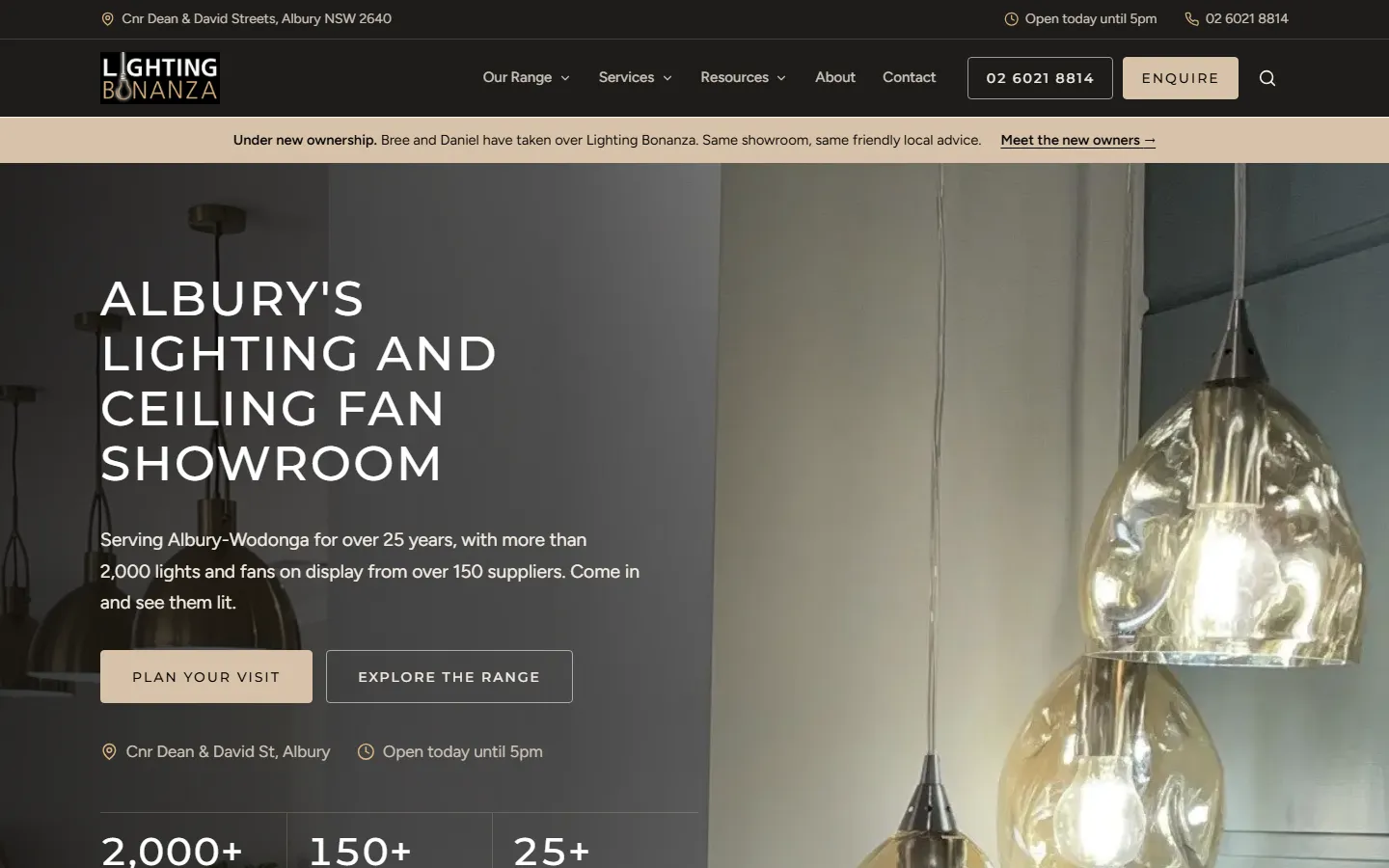
The new Lighting Bonanza homepage: Albury's lighting and ceiling fan showroom, 2,000+ lights and fans on display from over 150 suppliers, with the new-owners banner
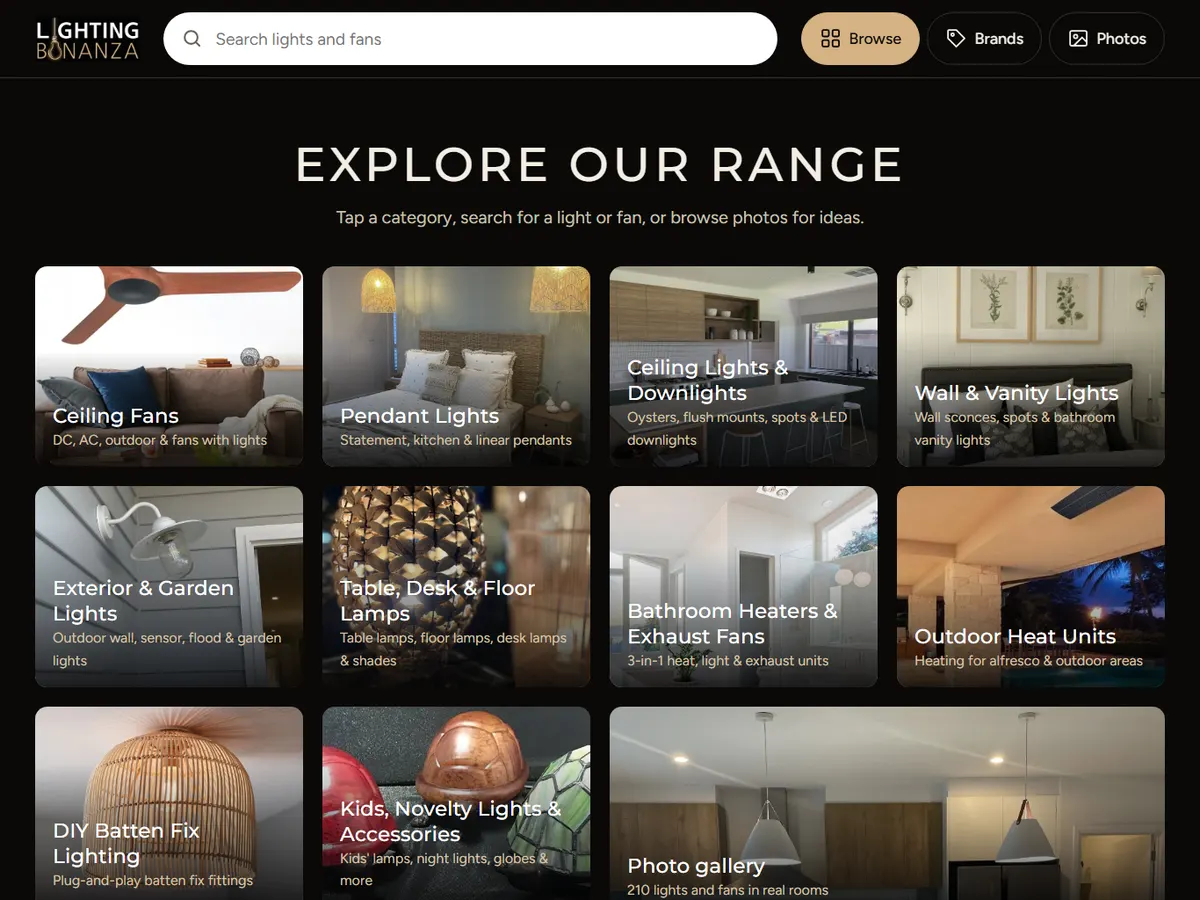
The showroom kiosk home screen: search, ten range categories, brands and a photo gallery
Showroom kiosk
  • 1,430 product pages
  • Lighthouse SEO 100
  • Retail Manager → Shopify
Client
Lighting Bonanza
Location
Albury, NSW
Scope
Website · Kiosks · Signage · POS migration
Wired into
Shopify · Cloudflare · Microsoft 365 · Retail Manager
01

The situation

Lighting Bonanza has served Albury-Wodonga for more than 25 years, with over 2,000 lights and fans on display from more than 150 suppliers. New owners Bree and Daniel took over in September 2026, and took on everything the shop ran on.

Before

  • A five-page website (home, gallery, catalogues, about, contact) on a provider's managed plan that ended on 30 September
  • The range lived on the showroom floor and in supplier PDF catalogues, with no products to search online
  • Shop email on a host where full mailboxes had stopped mail arriving more than once
  • Sales, stock, customer accounts and trade pricing in Retail Manager, a Windows point-of-sale system on the shop's server

The brief

  • Keep the shop online through the handover, without losing the domain, email or old links
  • A fast website that shows the whole range and gets found around Albury-Wodonga
  • Put the range in customers' hands in the showroom as well
  • Introduce the new owners to customers and suppliers
  • Move the tills to Shopify without losing products, prices, stock or customer accounts
02

Before and after

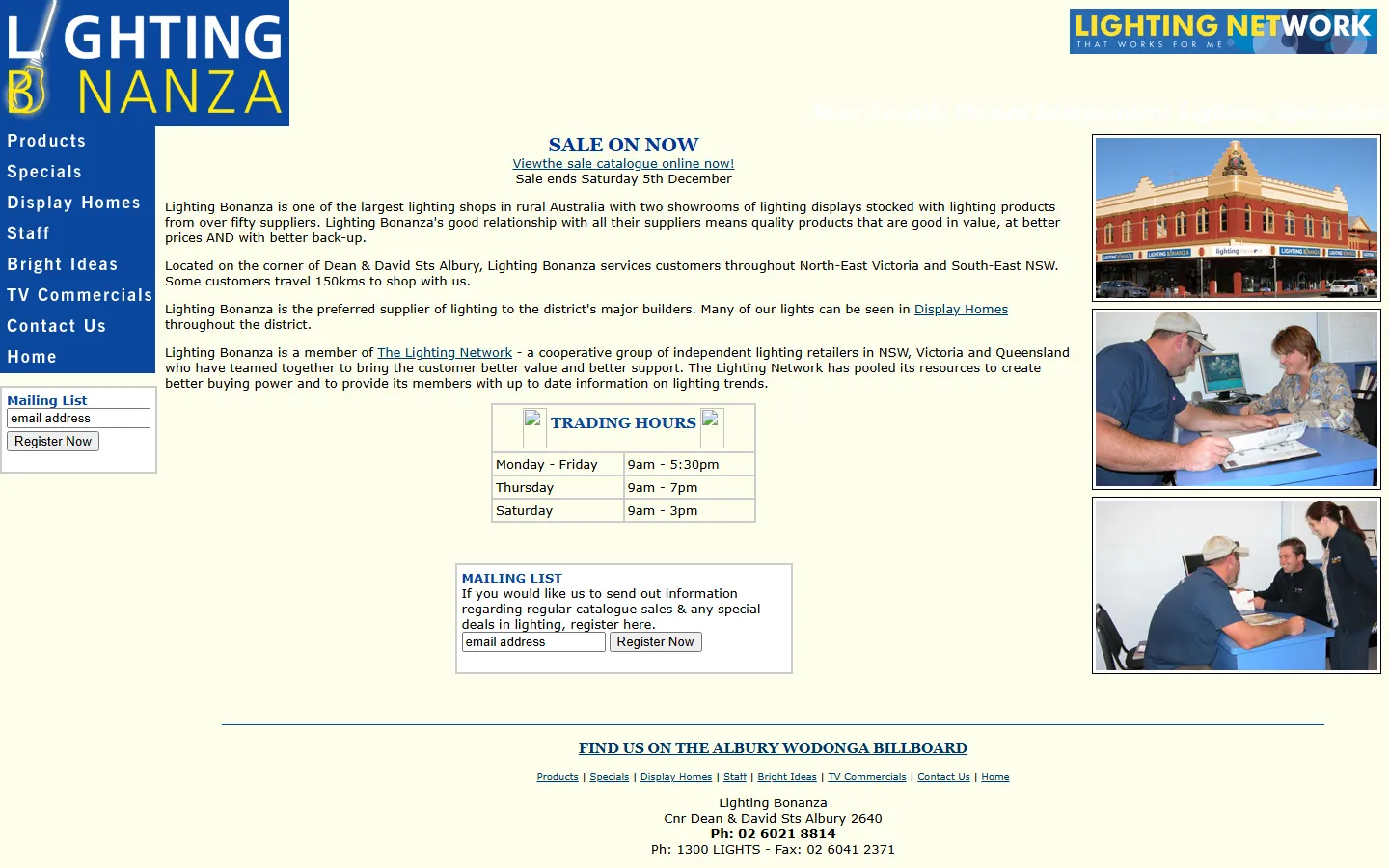
Same shop on the corner of Dean and David Streets, same phone number. Drag to compare the old website with the new one.
The new Lighting Bonanza homepage: a dark showroom photo, Albury's lighting and ceiling fan showroom, and buttons to plan a visit or explore the range
The old Lighting Bonanza website as archived in 2009: a blue and yellow page with a sale notice, trading hours and a mailing list sign-up
Before · 2009 captureAfter · today

Before: the old site (Wayback Machine, 2009 capture; a few of its images are missing from the archive). After: lightingbonanza.com.au today.

03

What we built

Seven pieces of work in the first weeks of the new owners, in the order the shop needed them.

  1. HandoverDomain, email and old links moved across
  2. Website1,475 fast pages on Cloudflare
  3. Catalogue1,430 products from supplier catalogues
  4. KiosksThe range on a showroom touch screen
  5. SignageA 67-second loop for the A-frame screen
  6. AuditSEO and AI search, checked in week one
  7. POSRetail Manager to Shopify, in progress
01

A fast website with the whole range on it

We rebuilt lightingbonanza.com.au from scratch as a static site on Cloudflare: no page builder and no plugins, so it loads quickly on a phone. Ten range pages written the way people around Albury-Wodonga search, seven buying guides that answer real questions (fan sizes, DC or AC, pendant heights), and the new owners introduced up front.

Every old address still works: the old gallery links forward to the matching range pages, so nothing the old site was found for breaks.
Static build · CloudflareLocal SEOSchema / JSON-LDllms.txtOld links redirected
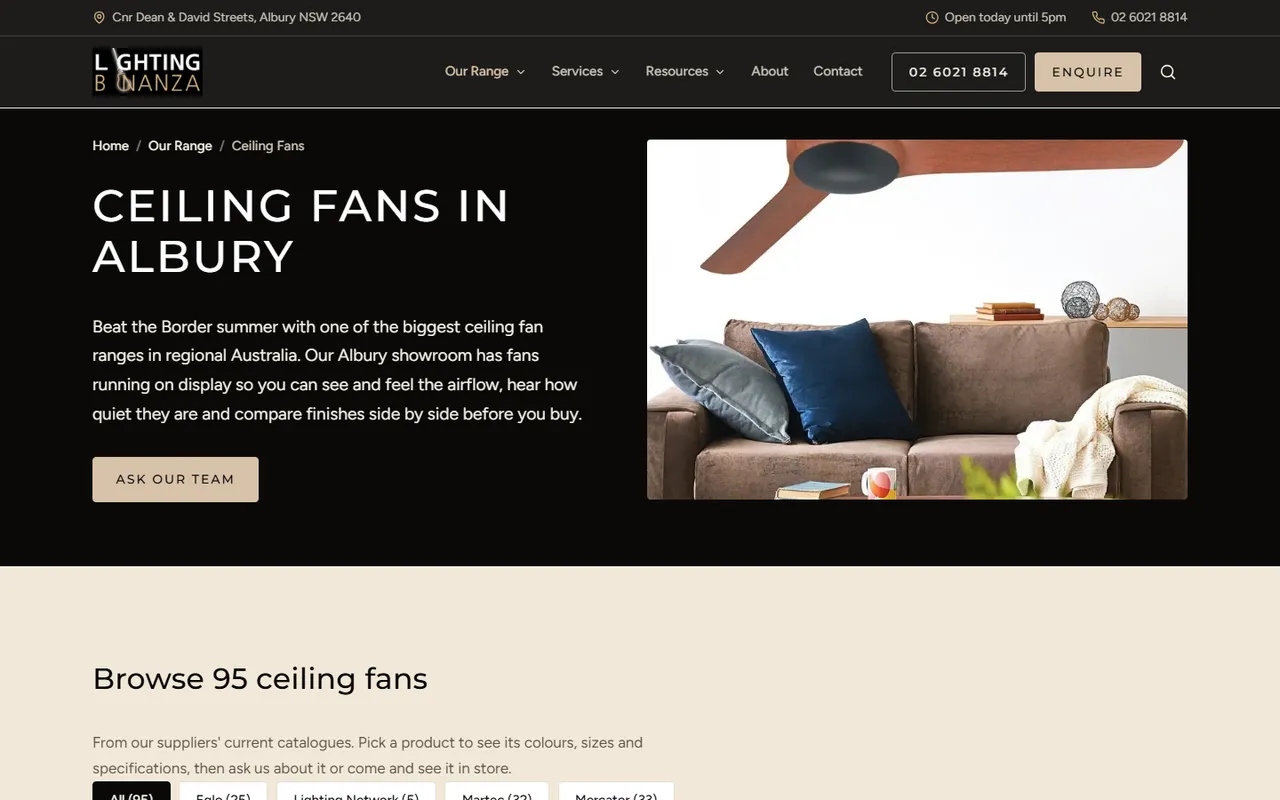
lightingbonanza.com.au/lighting/ceiling-fans
The ceiling fans range page: Ceiling fans in Albury, with fans running on display in the showroom and 95 fans to browse
02

1,430 products, straight from the suppliers' catalogues

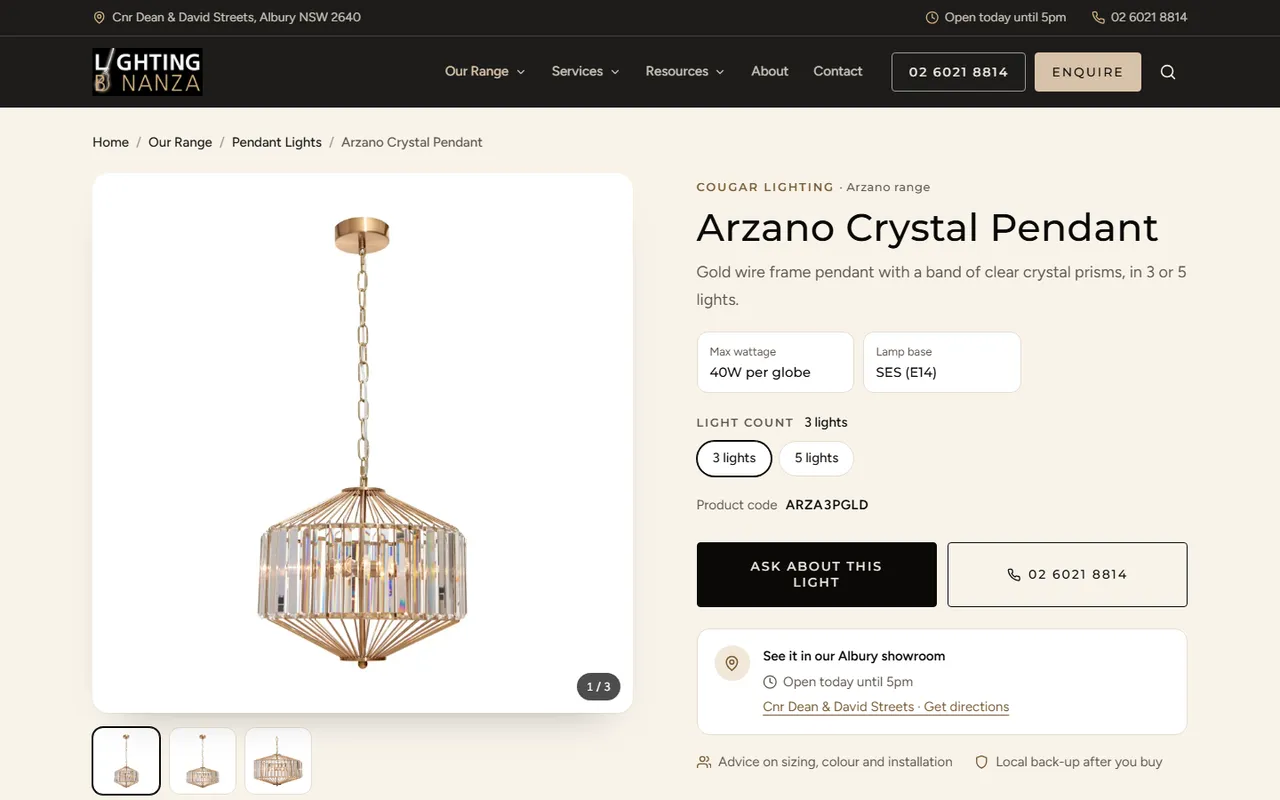
We turned the suppliers' own catalogues into 1,430 product pages, each with its colours and sizes as options, the right product code, specifications and the supplier's photos. Customers can search them A to Z by name, brand, colour or code, and every page has an "Ask about this light" button that fills in the enquiry for them.

The products are ready for the online shop too. A sync tool loads them into Shopify as drafts to be priced. Once the online shop opens, any product published there shows its price and a Buy online button on the website by itself.
1,430 product pagesA to Z searchShopify product syncEnquiries filled in
lightingbonanza.com.au/products/cougar-arzano-pendant
A product page: the Arzano Crystal Pendant with its light count options, product code, an Ask about this light button and showroom details
03

The kiosk: the range on a showroom touch screen

An iPad or touch screen on the showroom floor runs the whole range as a full-screen app. Customers browse by category or brand, search as they type, flip through photos of lights and fans in real rooms, and open any product to compare its options and get the code to show the team. Long lists load as you scroll, so it stays quick.

There are no links out of it, and after two minutes without a touch it goes back to the home screen for the next customer. It reads the same product data as the website, so the two never disagree.
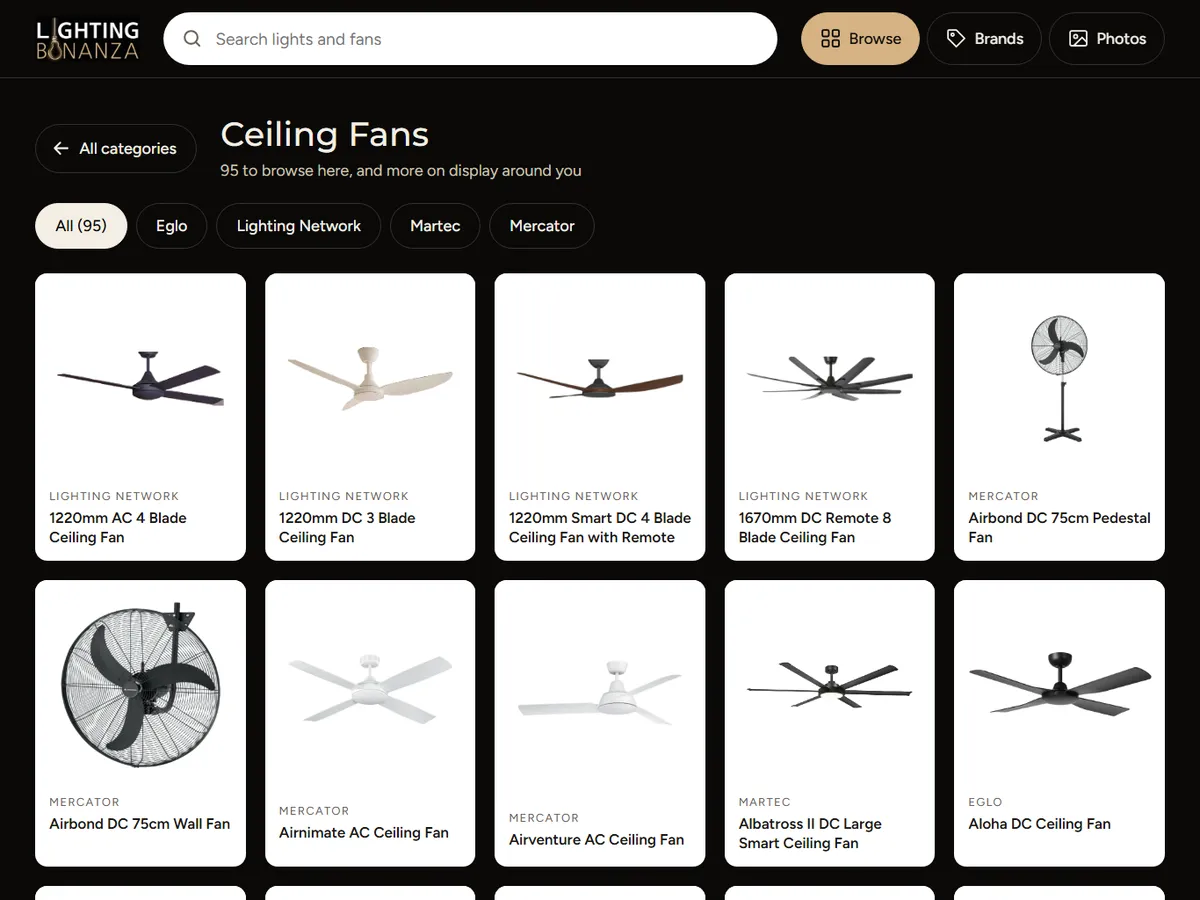
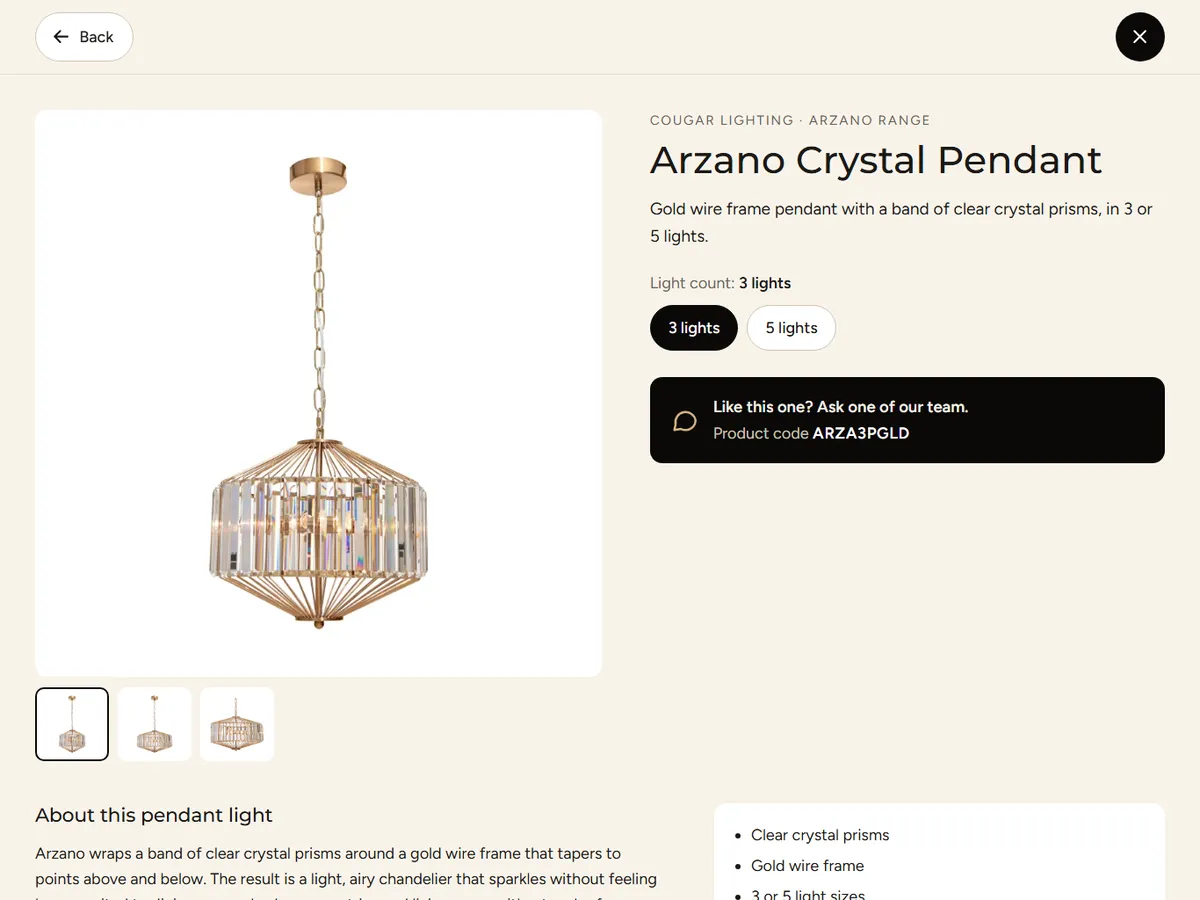
Installs as a full-screen appSearch as you typeBrands and room photosResets after 2 minutesSame data as the website
The kiosk home screen: Explore our range, with ten category tiles and a photo gallery tile
Home
The kiosk's ceiling fans list: 95 fans, filtered by brand
A category
A product on the kiosk: photos, light count options and the product code to show the team
A product
04

A welcome kiosk for suppliers

For the change of owners we built a second kiosk to welcome the shop's suppliers to the new Lighting Bonanza: ten short questions about what to keep, what to leave behind and how they want to work together.

Suppliers answer on the screen, or scan the code and finish on their phone later. If the Wi-Fi drops, answers wait on the device and send when it's back, and a half-finished form is saved before the screen resets for the next person.
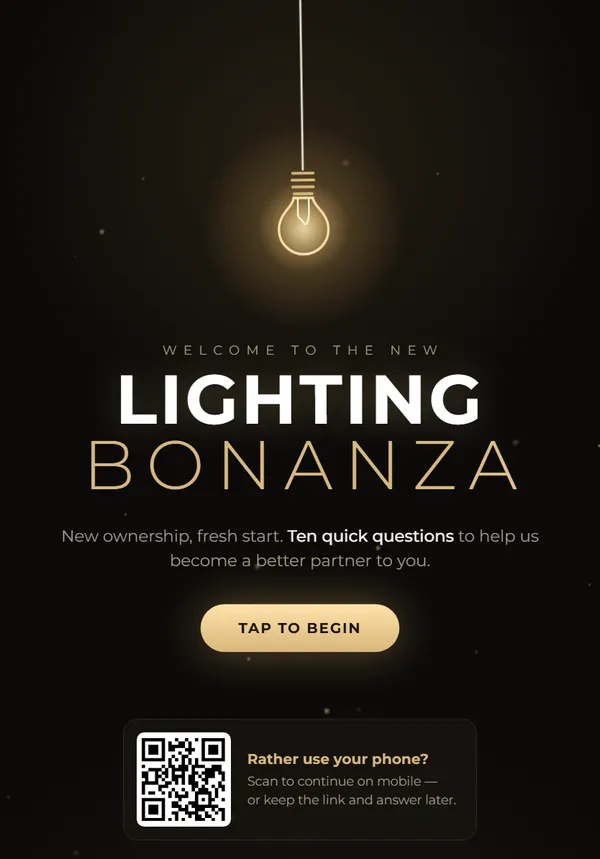
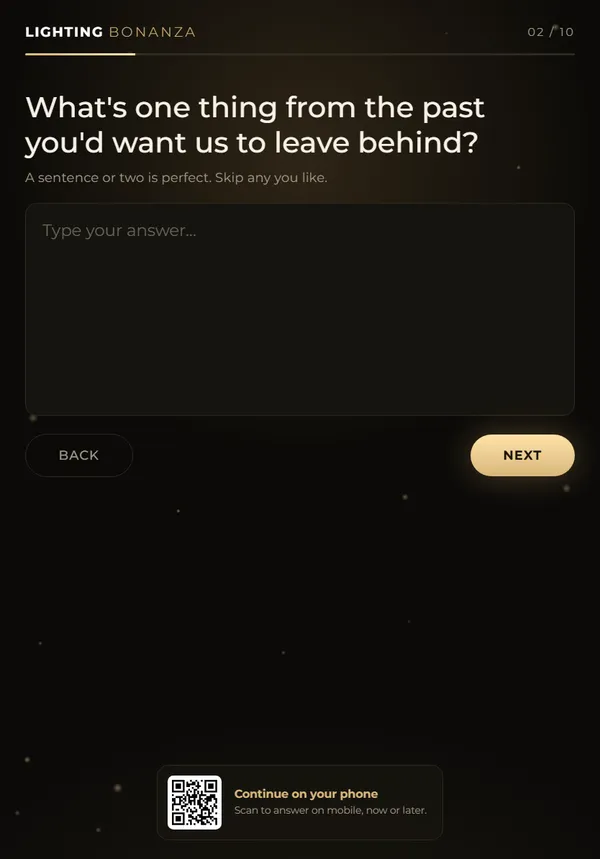
Ten questionsContinue on your phoneWorks through Wi-Fi drops
The supplier kiosk welcome screen: Welcome to the new Lighting Bonanza, ten quick questions, with a tap to begin button and a QR code to continue on a phone
A question on the supplier kiosk: What's one thing from the past you'd want us to leave behind?
05

A loop for the A-frame screen

A 67-second video for the shop's portrait A-frame screen: ceiling fans running in store, lights and fans for every room, feature lighting, outdoor lights and heaters, the 150+ suppliers, free advice for new homes, then the address and phone number.

It's animated in code from the website's own photos and rendered to video, so it's quick to change when the season or the range does.

1080 × 1920 portraitSeasonal messagesSame photos as the website
06

Email and enquiries that land in the right place

We moved the shop's email to Microsoft 365, with the domain in an account the owners control, and gave every mailbox the same signature: the logo, the person's name and role, and the shop's details.

Website enquiries are sent by a small Cloudflare Worker as tidy emails with one-tap reply and call buttons. Product questions go to the sales inbox and design or new-home enquiries to the general one. Bots and sales pitches are filtered out before they reach anyone.
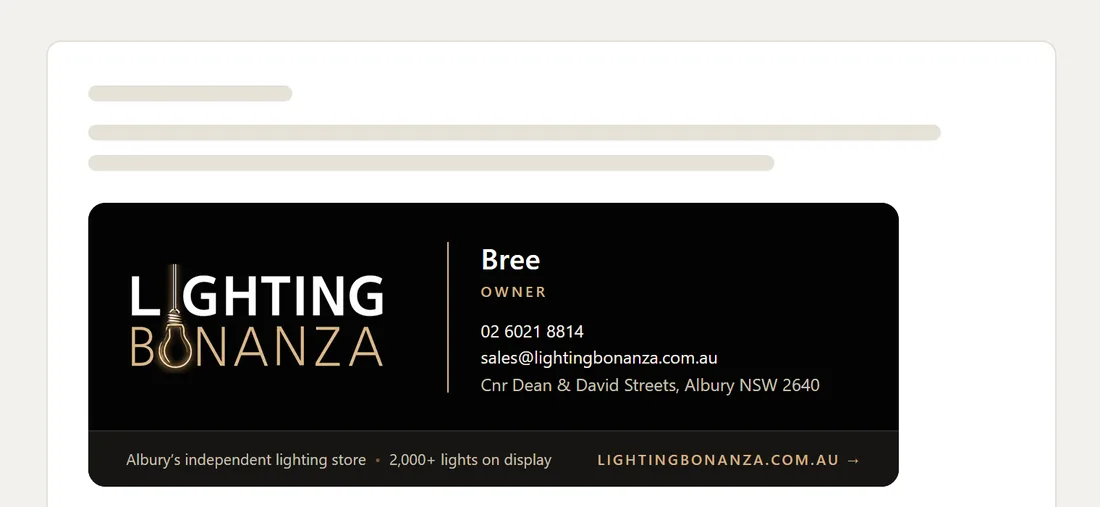
Microsoft 365One signature for everyoneEnquiry routingSpam and pitch filter
New message · Lighting Bonanza signature
The Lighting Bonanza email signature: the logo, name and role, phone, email and showroom address, with lightingbonanza.com.au
07

Then we audited our own work

A few days after launch we ran a full SEO and AI search audit for the owners. We fetched all 1,475 pages, ran Lighthouse, pulled 45 live Google results as a searcher in Albury, and asked ChatGPT, Perplexity, Gemini and Claude 15 real buyer questions. AI assistants mentioned Lighting Bonanza in 44 of the 60 answers.

The report ends in a 90-day plan: get the new pages indexed, win back the brand search, grow Google reviews, add products to the Google Business Profile, and time ceiling-fan and heater content to the seasons.
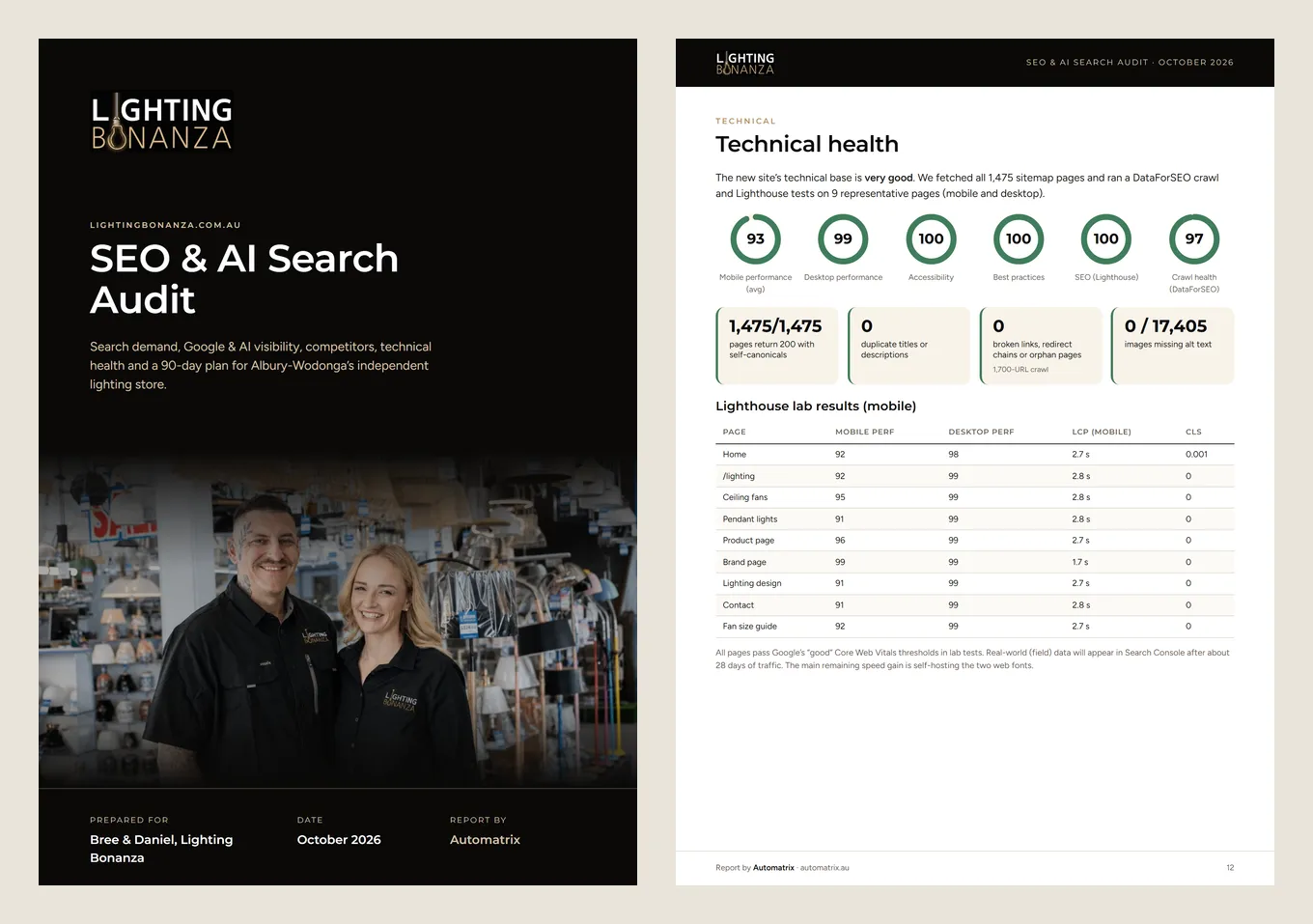
1,630 keywords measuredChatGPT · Perplexity · Gemini · Claude90-day plan
SEO & AI Search Audit · October 2026
Two pages of the SEO and AI search audit: the cover with the new owners, and the technical health page with Lighthouse scores
04

The result

Measured in our audit on 1 October 2026, a few days after launch. These are lab tests and a full crawl of the site, not traffic figures yet.

1,475
Pages, every one returning 200 with its own canonical URL
100
Lighthouse score for SEO, accessibility and best practices
93
Average mobile performance score (99 on desktop)
0 broken links or redirect chains 0 duplicate titles or descriptions 0 of 17,405 images missing alt text 2 kiosks built

What isn't measured yet: Google had indexed only about 10 of the new pages when we audited, which is normal for a site a few days old. Getting the rest indexed is the first job in the 90-day plan. We'll add search results here once there's real data.

05

In progress

The website was the urgent part. The bigger job is the counter.

In progress

Retail Manager to Shopify POS

The tills run on Retail Manager, with years of products, prices, stock, customer accounts and trade pricing in it. We're moving the shop to Shopify POS on Shopify Plus, so the counter, the stock and the online shop share one system. The groundwork is done; the import and changeover day come next.
Data export
Done
Prices decoded
Done
Staff clean-up
With the team
Import and changeover
Next

Done so far

  • Exported all 77 tables from a copy of the nightly backup in 11 seconds with a small tool we wrote, without ever opening the live database the tills use
  • Took passwords and system credentials out of every export
  • Shortlisted 4,819 products to move from more than 30,000 items: anything sold in the last two years, in stock now, or recently added
  • Decoded Retail Manager's pricing rules (item, category and store-wide, for retail and four trade levels) and tested them line by line against a year of real sales
  • Mapped it all to Shopify: barcodes kept so shelf labels still scan, trade levels as B2B price lists, deposits and credit notes as store credit, vouchers as new gift cards, open orders and quotes recreated
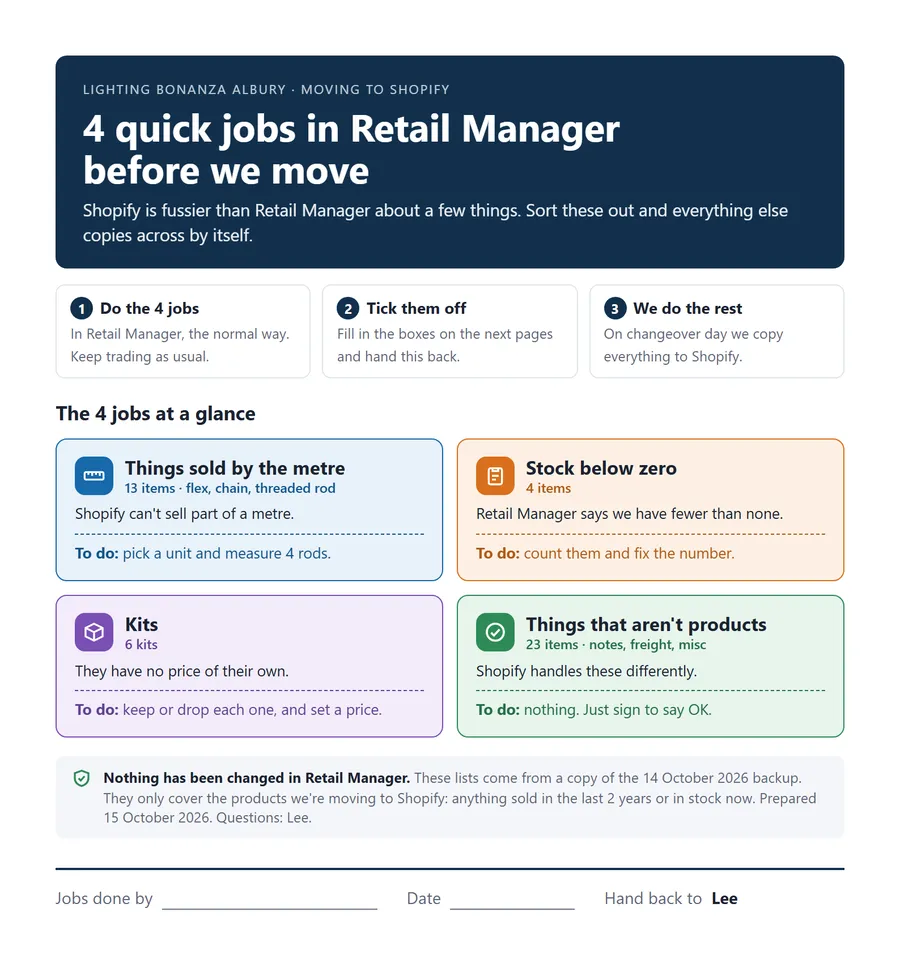
  • Wrote the staff a plain-English checklist: four jobs to fix in Retail Manager before the move
Staff checklist · before we move to Shopify
The staff checklist: four quick jobs in Retail Manager before the move, covering things sold by the metre, stock below zero, kits, and things that aren't products
06

The live site

Black, cream and bronze to match the shop: the range up front, the new owners introduced, and real reviews from the people who shop there.

https://lightingbonanza.com.au
The full Lighting Bonanza homepage built by Automatrix
Scroll the frame to view the full page
07

Under the hood

Built on accounts the owners control, and on the tools the shop is moving to anyway.

CloudflareThe website, the kiosk and the enquiry forms
ShopifyThe online shop and the product sync
Shopify POSThe new counter, on Shopify Plus
Retail ManagerProducts, prices, stock and accounts, read from a backup copy
Microsoft 365Shop email and signatures
ResendEnquiry emails from the shop's own domain, with Cloudflare email as the fallback
DataForSEO + LighthouseThe SEO and AI search audit
Static buildEvery page generated from the content and product data

Taking over a business?

Or moving off an old point-of-sale system? We can move the website, email and tills across without losing what the business already has. Tell us how you work and we'll map where it's leaking time and money.

The honesty guarantee: if we can't find at least $10,000 in recoverable time or revenue, we'll tell you upfront. No pitch, no pressure.