SquareXero

Sell it on Square.See it in Xero, per store, matched to the bank.

Square's built-in Xero sync posts a daily summary. One line, one location, fees lumped in. If you run two stores, take bookings, or ever process a refund, the bookkeeper is unpicking it by hand. We connect Square and Xero at the level your accountant actually needs.

What it replaces 63%

Of Australian small businesses spend part of every week on payments admin. Reconciling Square is a good chunk of it for retail and hospitality.

After we connect them Per store

Sales, fees, surcharges, tips and refunds posted to Xero as separate lines, per location, matched to the Square payout in the bank feed.

Runs Nightly

Yesterday's trade is in Xero before the first coffee.

Lock-in 0

Runs in your Square and Xero accounts. You own the connection and the documentation.

Also connects

Square Appointments and Square for Retail stock. Lightspeed and Kounta if you run those. Tyro if you are moving.

Cycle Station runs on this shape of build across multiple stores.

01

What moves

Sales posted the way the books need them

Each day's Square sales become a Xero invoice or journal with sales split by category, GST handled per item, surcharges and tips on their own lines, and Square's fees posted to the fee account. The payout that lands in the bank then matches to the cent.

  • Category to account code mapping you control
  • GST-free items handled, not averaged
  • Payout matched to the bank feed automatically
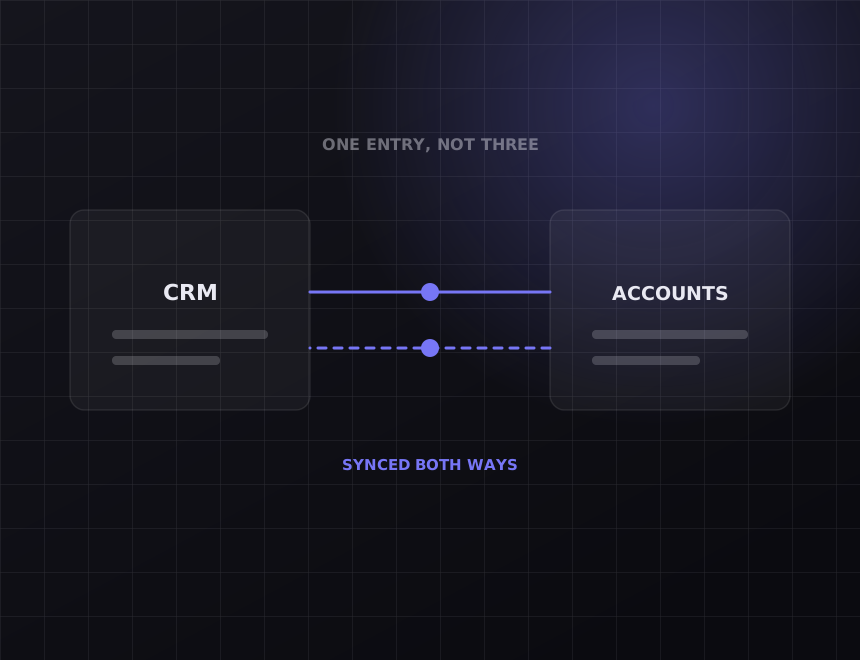
Diagram: two systems syncing both ways
Diagram: a working week with the recovered hours marked
02

What moves

One store, or six, reported separately

Multi-location businesses need per-store numbers, and the built-in sync gives them one. We post per location with tracking categories, so the owner sees each store's day without a spreadsheet.

  • Xero tracking categories per store
  • Consolidated and per-store views in Xero reporting
  • New locations added without a rebuild
03

What moves

Refunds and disputes handled correctly

A refund is not negative sales in the wrong period. It is a credit note against the right day, with the fee treatment Square actually applied. Disputes are flagged for a human rather than guessed.

  • Credit notes, not negative invoices
  • Partial refunds split correctly
  • Disputes listed for review
Diagram: records kept in step across systems
Diagram: a working week with the recovered hours marked
04

What moves

Bookings and stock, if you use them

Square Appointments bookings can flow to your calendar and CRM. Square for Retail stock levels can feed reordering or your website. Both are optional additions to the same connection.

  • Bookings synced to Google Calendar or your CRM
  • Low-stock alerts to whoever orders
  • Website stock levels updated from Square

Before you pay

Read this part first.

Some of what is on this page you can get without us. The rest is where the money goes. Both are written down here so you can decide before the call.

What Square already does

Square's own Xero integration is free, and for a single-location cafe with no bookings and few refunds it is probably fine. Use it. This build is for businesses with more than one location, a bookkeeper who is reworking the daily summary every week, or bookings and stock that need to go somewhere else too.

What we will not do

Post every individual transaction into Xero. Ten thousand tiny invoices a month makes Xero slow and your accountant unhappy. Daily, per location, per category, with the detail held in a log you can search.

How it works

What we actually do, in the order we do it.

Every step below is work you can verify. Ask any provider to show you the same list for what they are doing.

1. Map the till to the ledger

Which Square categories go to which Xero accounts. How surcharges, tips and fees are treated. What the owner wants to see per store. An hour with the bookkeeper is usually enough.

2. Pick a clean start date

Most businesses have months of daily summaries the bookkeeper has already adjusted by hand. We start the connection from a clean date and leave the past alone.

3. Build it, then try to break it

A refund across two days. A payout that skips a public holiday. A new product with no category. Each has a defined outcome before launch, never a silent skip.

4. Monitor it

Every nightly post is logged against the payout it matched. If a run fails, we are alerted, and it is usually fixed before the bookkeeper opens Xero.

What it costs

Real numbers, before you ask for a quote.

Square to Xero starts from $2,500 for one location with category, fee and refund handling. Multiple locations, bookings and stock add to it, and a full multi-store build lands around $5,000 to $6,000. Live within two to three weeks.

What is included

The category and account mapping, written down. Nightly posting per location with fees, surcharges, tips and refunds. Payout matching to the bank feed. A searchable log and a handover document.

What is not included

Your Square and Xero subscriptions, which stay in your name. Re-doing past months the bookkeeper has already reconciled. Fixing wrong tax settings in Square, which we will flag on day one.

Who owns it

You do. The connection lives in your accounts, on your subscriptions, with documentation your next provider could pick up. There is no retainer required to keep it running.

FAQs

Questions about
Square to Xero.

We already use Square's free Xero sync. Why pay?

If it gives your bookkeeper what they need, do not. The people who pay for this are the ones whose bookkeeper spends an hour a week reworking the summary, or who need per-store numbers the free sync cannot give.

Does it work with Lightspeed or Tyro instead?

Yes. Lightspeed, Kounta and Tyro all provide settlement and sales data through an API. The Xero side does not change.

What about cash sales?

Recorded in Square as cash, they post to Xero as cash sales against the till account. Cash banked is then reconciled the normal way.

Can it handle GST-free items?

Yes. GST is handled per item from Square's tax settings, not averaged across the day.

How long does it take?

Two to three weeks for most. Multi-store setups with bookings and stock run to four.

Related

Other integrations we build often.

All nine are listed at integrations, and the general approach is on the systems integration page. Built for retail and hospitality among others.

The other half

Connecting your tools does not bring you new customers.

This gives you hours back. It does not make the phone ring. If enquiries are the actual problem, the work is on the other side of the business: see SEO and web design. On the call we will tell you which half is costing you more.

Running Square and Xero?

Thirty minutes. Tell us what you run and we will map exactly what moves between them, what it takes, and what it costs. You keep the map whether or not you use us.

Get my free audit →